RuntimesGodot 4 · Web

Two native runtimes. One document.

Your game loads the same .envy.json file the editor saves. Godot builds Control nodes from it, the browser builds elements from it, and neither needs generated UI code.

Godot addon

The EnvyUI node rebuilds the document from Panels, Containers and Labels at runtime, so focus, gamepad and input stay Godot's own. In Godot 4.6+, import .envy.json as a resource and edits show up while the game runs.

Engine
Godot 4.3 or newer
Language
GDScript, nothing to compile
Folder
addons/envy_ui
</>

Web runtime

One script renders the document to plain elements. The editor canvas uses the same renderer, so the canvas and the game can't drift apart.

Size
22 KB gzipped
Dependencies
None
File
envy-runtime.js
▶

Playable HTML

Export one HTML file with the runtime and your document inside. Send it to anyone who should click through the interface.

Needs
A browser
Includes
States, data, animation
Export
Hand off › HTML

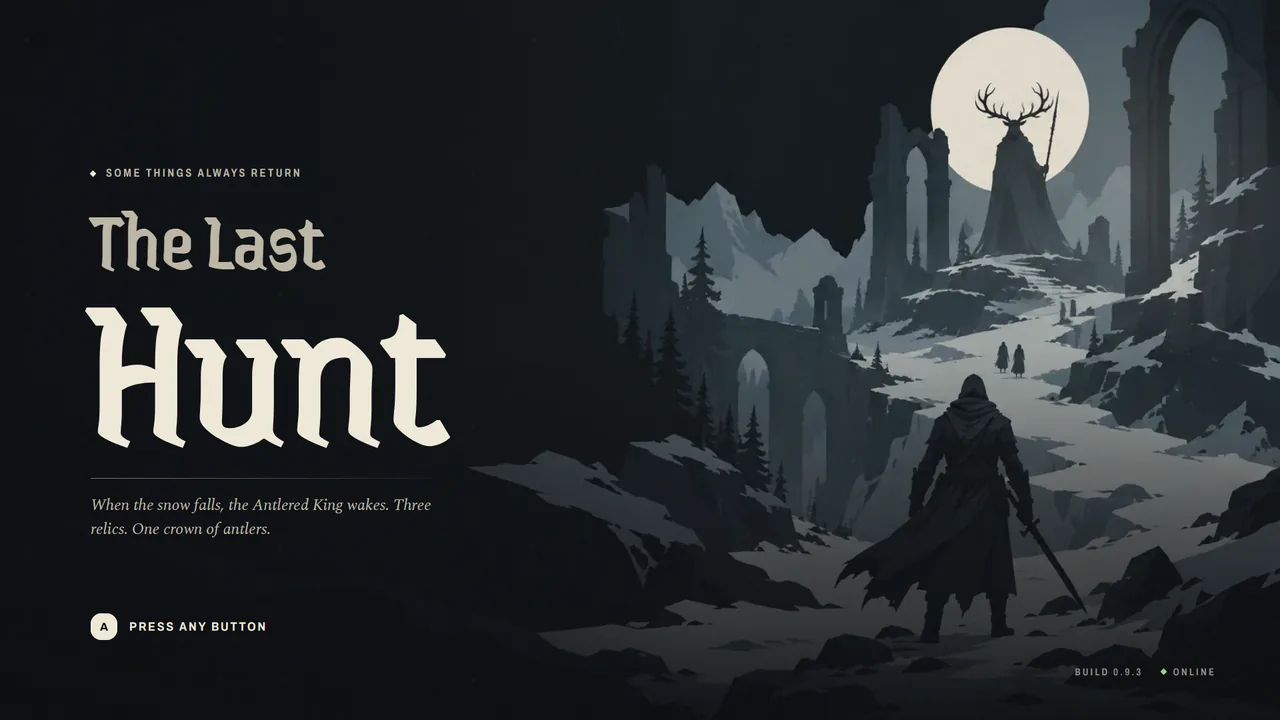
The web runtime, running here

Click, use the arrow keys and Enter, or plug in a controller. On the boss fight, Esc opens the pause menu as an overlay.

Live runtime
The Last Hunt title screen

Add it to your game

Both take a few lines. The quick start walks through it.

Godot

  1. Copy addons/envy_ui into your project and enable the plugin.
  2. Put the document in res://ui/. In Godot 4.6+ it imports as an EnvyDocument resource.
  3. Add an EnvyUI node, or create one from code.
var ui := EnvyUI.new()
ui.document_path = "res://ui/the_last_hunt.envy.json"
add_child(ui)
ui.ui_event.connect(func(event, payload):
	if event == "new_hunt": start_new_hunt())
ui.set_data("player.hp", 212)
ui.focus_first_button()

</>Web

  1. Load envy-runtime.js. It defines the global Envy.
  2. Fetch the document.
  3. Mount it into any element.
<script src="envy-runtime.js"></script>
<script type="module">
  const doc = await fetch("ui/the_last_hunt.envy.json").then((r) => r.json());
  const ui = Envy.mount(document.getElementById("ui"), doc, { screen: "02 Main menu" });
  ui.on("new_hunt", () => game.startHunt());
  ui.setData("player.hp", 212);
</script>

API reference

The same verbs on both sides.

EnvyUI Godot · GDScript

Properties
documentAn EnvyDocument resource (an imported .envy.json). Reloads while the game runs
document_pathOr a path to the .envy.json file
start_screenScreen to show first. Defaults to the first screen
scale_modeFIT scales the design resolution into the node and stretches to its aspect
autoplayPlay autoplay animations when a screen shows
use_sample_dataStart with the document's sample data
hot_reloadPick up a re-imported document while the game runs
localeLocale for translated text, like "de" or "pt-BR"
fontsFamily name to a Font resource, for fonts the document does not embed
cancel_closes_overlayui_cancel (Esc, gamepad B) closes the top overlay
Methods
goto(screen, transition)Show a screen by name or id
push(screen, transition) · pop()Open a screen over the current one, close the top one
get_stack() · get_screen_names()The open screens, every screen
set_data(path, value)Set one data path, for example "player.hp"
merge_data(patch) · get_data(path)Deep-merge a dictionary, read a value
play(anim) · stop(anim) · is_playing(anim)Run the document's animations
set_locale(locale) · get_locales()Switch language at runtime
get_control(name_or_id)The Control built for a layer
focus_first_button()Start keyboard and gamepad navigation
load_document(path) · load_resource(res)Load another document
Signals
ui_event(event, payload)A button emitted an event
screen_changed(screen_name)goto, push or pop ran
data_changed(data)A button set or toggled data
document_reloadedThe document changed on disk and was reloaded

Envy Web · JavaScript

Entry point
Envy.mount(host, doc, opts)Mount a document into an element and run it. Returns a player
opts.screen · opts.dataFirst screen; initial data (defaults to the sample data)
opts.localeLocale for translated text, or "pseudo"
opts.scaleMode"fit" (default) or "none"
opts.autoplay · opts.gamepadAutoplay animations; gamepad navigation (both on by default)
opts.respectReducedMotionSkip screen transitions for people who ask for less motion
opts.onEvent · onScreenChange · onDataChangeCallbacks for events, screen changes and data actions
Player
goto(screen, { transition })Show a screen by name or id
push(screen) · pop() · stackOverlays, and the open screens
setData(path, value) · setData(patch)Set one path, or deep-merge an object
getData(path)Read a value, or all data
play(anim) · stop(anim) · isPlaying(anim)Run the document's animations
setLocale(locale) · localesSwitch language at runtime
on(event, fn) · off(event, fn) · emit(event, payload)Listen to events ("*" for all), or send one
layout() · destroy()Rescale after a resize you manage, or unmount

The same node on both sides

The Godot scene tree, the document and the browser's elements for The Last Hunt's main menu.

Known differences

From the format spec. Both runtimes are tested against the same documents.

Fonts

Embedded font assets work the same in both. For families a document does not embed, the web loads Google Fonts by name and Godot uses EnvyUI.fonts or a SystemFont.

Rounded clipping

Godot uses clip_children when the frame has a visible fill, otherwise it clips to the rectangle.

Drop shadows

CSS blur on the web, StyleBoxFlat shadow_size in Godot (about blur × 0.6). Shapes have no shadow in Godot yet.

Group opacity

CSS flattens the group. Godot modulate multiplies each child, which shows where children overlap.

Background blur

CSS backdrop-filter on the web, a screen-texture shader in Godot that is a little softer at large radii.

Focus search

The web picks the nearest button by position; Godot uses its own search, so unusual layouts can differ. Escape closes overlays in Godot; on the web, gamepad B does.

Planned The runtimes are meant to ship under an open-source license (MIT is the plan) so studios can adopt them without risk. The license isn't final yet.